
Queues #
This lab introduces a new data structure: Queues.
Syllabus Topics [SL] #
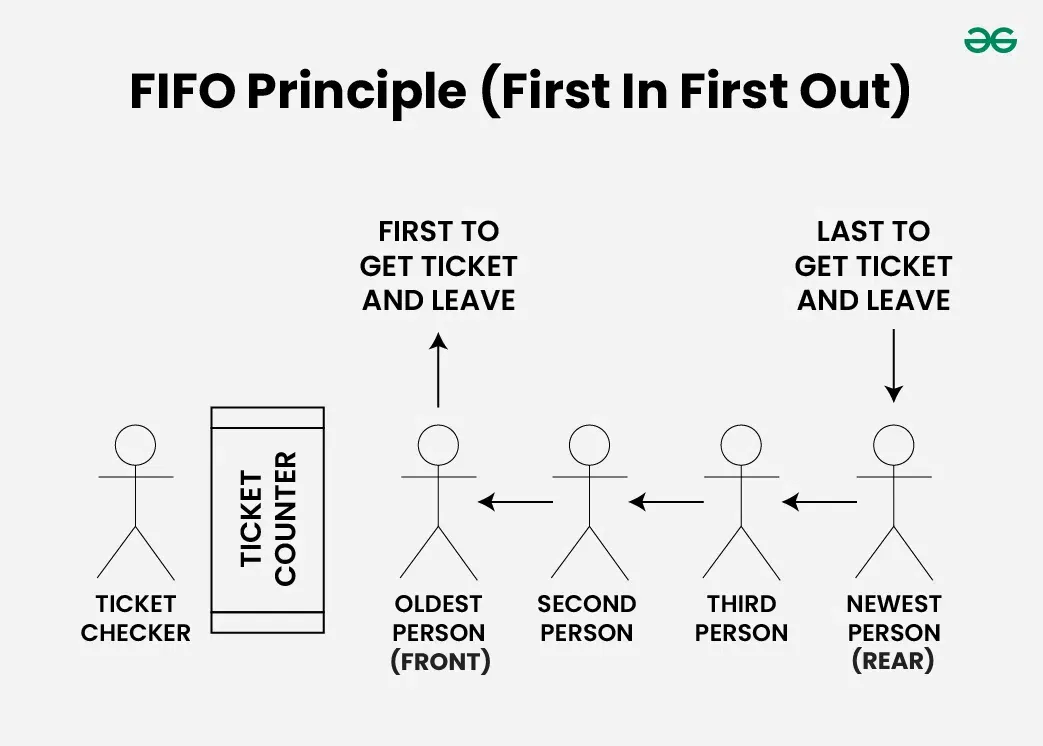
- B2.2.4 Explain the concept of a queue as a “first in, first out” (FIFO) data structure.
Key Vocabulary #
| Word | Definition |
|---|---|
| Mutable | A data structure that can be changed after it is initialized. |
| FIFO | First in, first out. |
| Queue | A FIFO data structure. Only the front item can be accessed. Common uses: playlist queues for media, printer queues storing print jobs, internet networks storing data packets. |
enqueue() | Adds data to the back of the queue. Parameter: data to add to the queue. Returns: none. |
dequeue() | Removes data from the front of a queue. Parameter: none. Returns: the data at the front of the queue. |
front() | Allows you to view the data at the front of the queue without removing it. Parameter: none. Returns: the data at the front of the queue. |
isEmpty() | Checks whether the queue contains data. Parameter: none. Returns: boolean. |
What is a Queue #
from queue import Queue

q = Queue()
q.enqueue('John')
q.enqueue('Paul')
q.enqueue('Ringo')
q.enqueue('George')

q.front()               # returns John
q.isEmpty()             # return False

q.dequeue()             # returns John
items = q.dequeue()     # returns Paul
[0] Set up #
💻 Go into your unit folder and clone your repo.
Be sure to replace yourgithubusername with your actual username.
cd ~/desktop/dpcs/unit02_data_structures
git clone https://github.com/isf-dp-cs/lab_queues_yourgithubusername
cd lab_queues_yourgithubusername
💻 Enter the Poetry Shell to start the lab. As a reminder, we will run this command at the start of each lab, but only when we are inside a lab folder.
poetry shell
👾 💬 Exiting the poetry shellWhen you want to exit the shell, you can type
exitor^D
[1] Queue #
In queue.py there is a implementation of a Queue. You are not expected to construct code a Queue. Only expected to use the methods.
💻 Test all of methods at the bottom of the queue.py file.
if __name__ == "__main__":
    # TODO: Test all methods

    # create the song queue
    q = Queue()

    q.enqueue('John')
    q.enqueue('Paul')
    print(q)
[2] Song Playlist #
In playlist.py you will be creating a song playlist. Every time a song is added to the playlist, it is added to the end of the queue.
☑️ Your program should allow users to:
- add songs to the playlist
- “play” the songs in order
- allow users to set if repeated songs are allowed (e.g. a song plays multiple times in a row)
- extension: allow users to shuffle the playlist
- you should create a new queue, so the initial playlist is kept as created
Here is an example user interaction.
Add songs to the playlist!
  > Add a song! (Or type Q to Quit) : Baby
  > Add a song! (Or type Q to quit) : Love Story
  > Add a song! (Or type Q to quit) : Love Story
  > Add a song! (Or type Q to quit) : Bang Bang Bang
  > Add a song! (Or type Q to quit) : q
--------

Allow repeated? (Y or N)    N

▶️ NOW PLAYING
    🎶 Baby 🎶
    🎶 Love Story 🎶
    🎶 Bang Bang Bang 🎶
💻 Construct code for playlist.py.
[3] Deliverables #
⚡✨ Once you complete the lab, be sure to complete these two steps:📋 Update Syllabus Tracker: Go to your Syllabus Content Checklist in your Google Drive and update it accordingly.
💻 Push your work to Github
- git status
- git add -A
- git status
- git commit -m “describe your code here”
- git push
- remote