
Debugging #
You’re already familiar with many debugging techinques, such as:
- Print statements
- Trace Tables
and in this lab we will introduce how to use a build-in IDE debugger to accomplish:
- Breakpoint Debugging
- Step-By-Step code execution
Syllabus Topics #
- B2.1.4 Construct and use common debugging techniques.
Key Vocabulary #
| Word | Definition |
|---|---|
| Syntax Error | An error with the grammar (aka syntax), of the code. These are caught before the program start running. Python examples include mismatched parentheses or quotation marks, missing colon, or invalid indentations. |
| Runtime Error | An error discovered during the execution of a program. If it isn’t handled correctly, it will crash the program. Pyhthon examples include FileNotFoundError, TypeError, NameError, ValueError, ZeroDivisionError, IndexError, etc. |
| Logic Error | The code behaves differently than the programmer intended. The computer does not have any issue running the code. |
| Breakpoint Debugging | Using a debugger to indicate a specific line of code or a certain condition (aka breakpoint). When the code reaches the breakpoint, it will pause running the code so you can take a look at the state of the code (e.g. variables, code flow, or check if a particular branch of code is getting run. |
| Step-By-Step Code execution | Using a debugger to execute the code one line at a time. This allows you to watch variable values and the flow of the code in real-time. |
| Step Over | Execute the next method/function as a single command without inspecting or following its component steps. |
| Step Into | Enter the next method/function to follow its execution line-by-line. |
| Step Out | When inside a method/function/subroutine, return to the earlier execution context by completing remaining lines of the current method as though it were a single command. |
[0] Set up #
Starter Code #
💻 Go to your
dpcs/unit01_cryptography folder.
cd ~/desktop/dpcs/unit01_cryptography/
💻 Clone your repo and go into the directory.
Be sure to replace yourgithubusername with your actual username.
git clone https://github.com/isf-dp-cs/lab_debugging_yourgithubusername
cd lab_debugging_yourgithubusername
poetry shell
👾 💬 Exiting the poetry shellWhen you want to exit the shell, you can type
exitor^D
Install Python Debugger #
💻 From the left-hand menu, click on the debugging tab

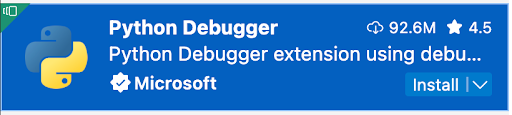
💻 If you haven’t installed it already, it will prompt you to install the python debugger
[1] Error Messages #
Syntax errors are easy to fix by reading error messages.
Palindrome #
At the moment, the file palindrome.py is full of syntax errors. When it runs correctly, it should allow the user to input a word, and then report whether the word is a palindrome. For example:
~Type a word, and I'll tell you if it's a palindrome~

> racecar
Congrats, it's a palindrome!
💻 Fix the syntax errors in palindrome.py
[2] IDE Debugger #
When using an IDE debugger (such as the Python Debugger in Visual Studio Code), two basic techniques are breakpoint debugging and step-by-step execution.
Arithmetic Game #
Right now, arithmetic_game.py doesn’t work properly. No matter how many answers you guess correctly, your score is always 0.0%.
💻 Use breakpoint debugging and step-by-step execution to find and fix the errors in arithmetic_game.py.
[3] Deliverables #
⚡✨ Once you complete the lab, be sure to complete these two steps:✏️ Go to your Syllabus Content Checklist in your Google Drive and update it accordingly.
💻 Push your work to Github
- git status
- git add -A
- git status
- git commit -m "describe your code here"
- git push
- git remote
[4] Extension: Calculate Average #
This task requires knowledge of Lists.
Right now, calculate_average.py doesn’t work properly. It should calculate the average of a list of numbers, but it always thinks the average is 0.0.
💻 Use breakpoint debugging and step-by-step execution to find and fix the errors in calculate_average.py.